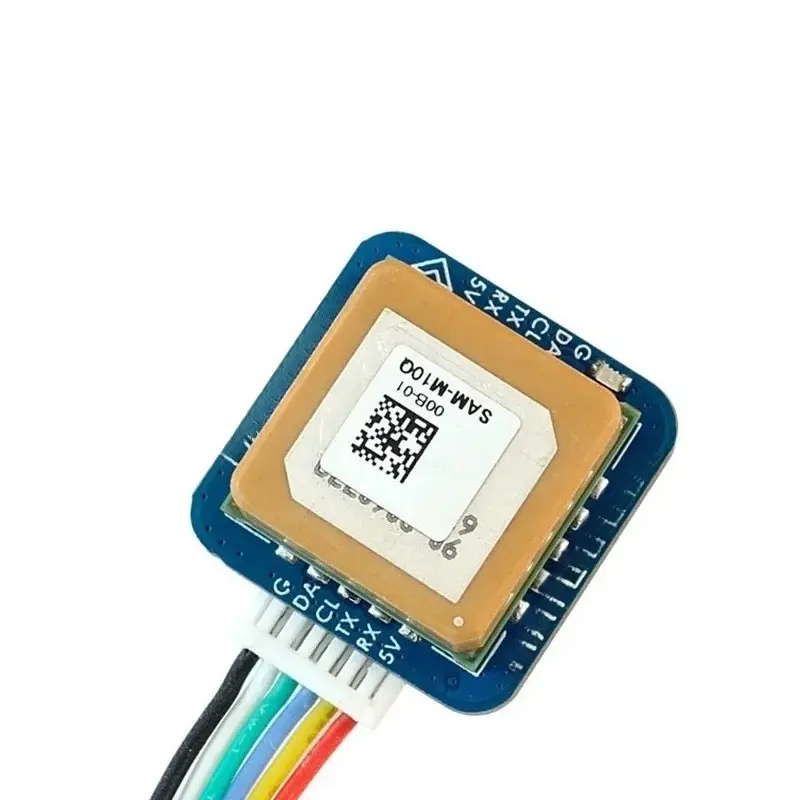
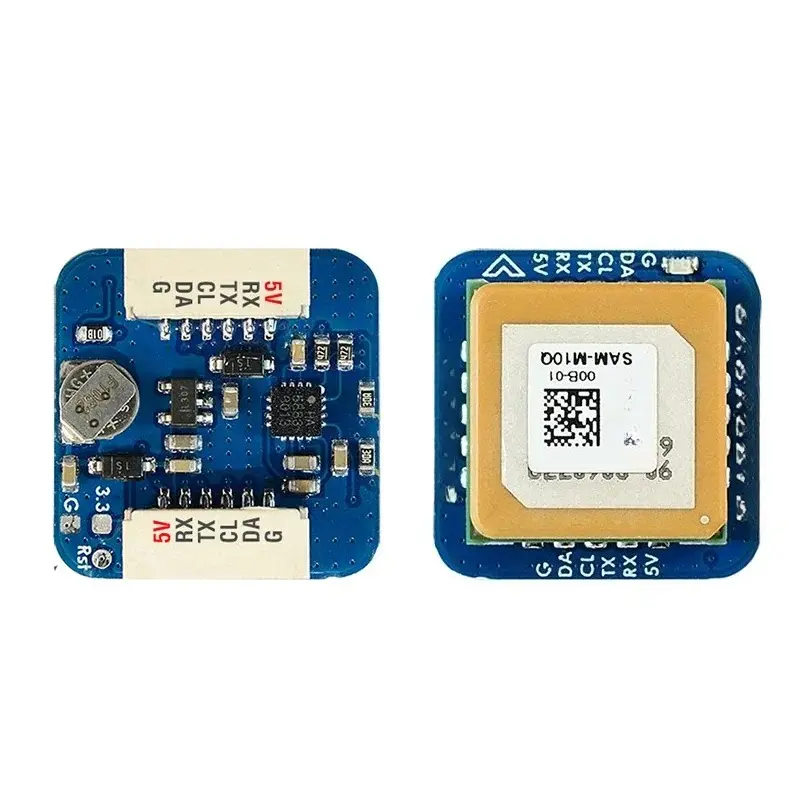
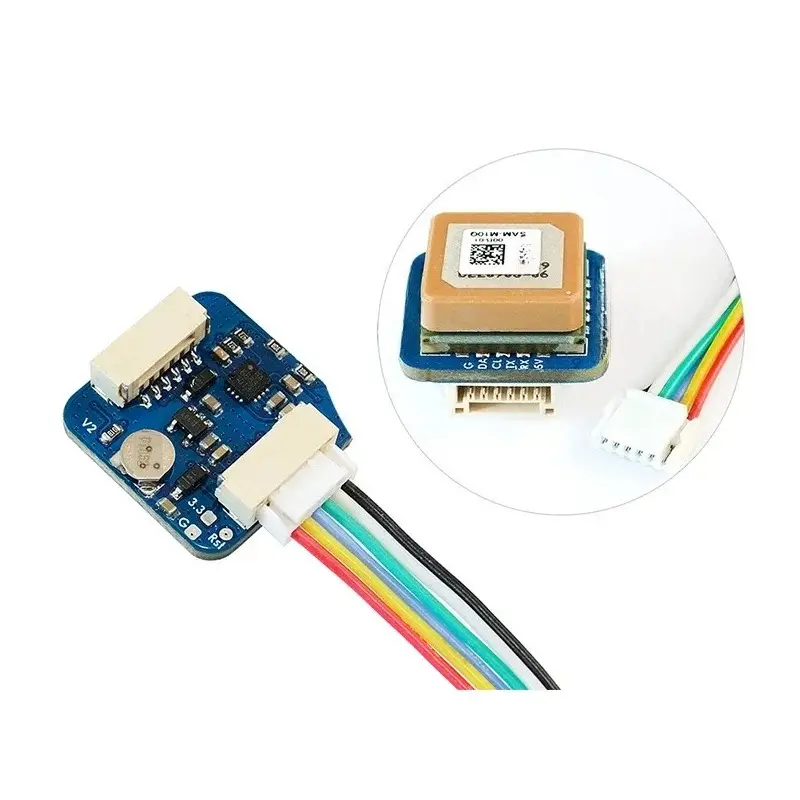
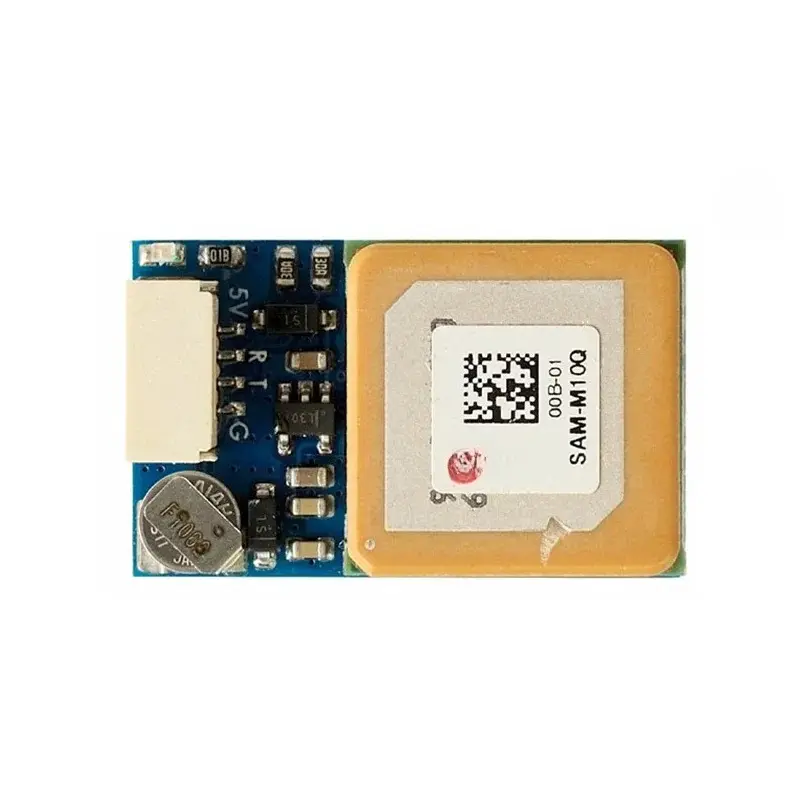
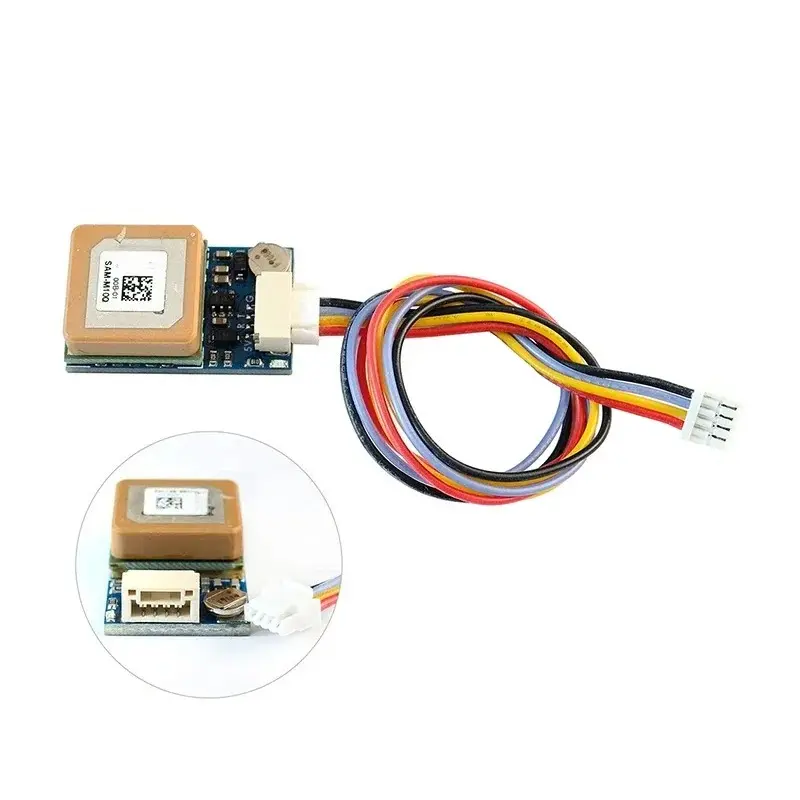
Item: GNSS, SAM-M10Q Parameters: SAM-M10Q uses multi-constellation GNSS module powered by ublx SAM-M10Q-00B. The SAM-M10Q features the ublx M10 standard precision GNSS platform and provides exceptional sensitivity and acquisition time for all L1 GNSS signals. SAM-M10Q supports concurrent reception of four GNSS (GPS, GLONASS, Galileo, and BeiDou). The high number of visible satellites enables the receiver to select the best signals. This maximizes the position availability, in particular under challenging conditions such as in deep urban canyons. ublx Super-S (Super-Signal) technology offers great RF sensitivity and can improve the dynamic position accuracy in non-line-of-sight scenarios. The high-gain 15 x 15 mm 2 patch antenna provides the best balance between performance and small size. The omnidirectional antenna radiation pattern increases flexibility for device installation. More details about the SAM-M10Q, pls check out ublx SAM-M10Q page Specifications: GNSS ublx SAM-M10Q-00B (GPS, GLONASS, Galileo and BeiDou) No Magnetic Compass built-in Patch antenna 15*15*4mm Input voltage range: 4~9V (5V pad/pin) Power consumption: 10mA UART baudrate: 9600 default Operating Temperatures: -20~80 °C UART(TX, RX) interface for GNSS SAM-M10Q-00B JST-GH-4P connector (SM04B-GHS-TB). 1.27mm pitch GNSS PPS LED, Green. (Solid ON after powering on, blinking(1Hz) when GNSS get 3D fix) Protocol: UBX 5Hz@GPS+GAL+BDS B1C+GLO or NMEA 1Hz 26mm*16mm*8mm 7.5g Includes: 1x SAM-M10Q 1x JST-GH-4P to JST-GH-4P 20cm silicon wire Wiring and settings: SAM-M10Q 5V to Flight controller 4~9V SAM-M10Q RX to Flight controller UART_TX SAM-M10Q TX to Flight controller UART_RX SAM-M10Q G to Flight controller GND Tips and Notes INAV 5.0.0, Betaflight 4.3.0, ArduPilot 4.3 or newer is required. UBlx NEO-M9N, MAX-M10S, SAM-M10Q series all don't have dataflash built in. once GNSS is powered off and the supercapacitor run out. the settings will back to default. UBX protocol is bidirectional. Flight controller firmware can change settings on GPS via UBX protocol. You don't need to set GNSS module Baud and Frequency in u-center. The default configuration on SAM-M10Q-00B with ublx FW 5.1 is concurrent reception of GPS, Galileo, GLONASS, and BeiDou B1C with QZSS and SBAS enabled. Start with ublx GNSS FW3.01, timepulse is aligned with UTC time and that time is set valid only after leap second is downloaded. That could take up to 12.5 min. Probably PPS LED will not blink immediately after GPS has 3D fixed. The SAM-M10Q provides the ability to reset the receiver. Bridging "RST" pad to Ground for at least 100 ms will trigger a cold start. RESET will delete all information and trigger a cold start. It should only be used as a recovery option. If you are sure wiring and setup are all right. but flight controller can't detect the GNSS module(grey GPS icon), try doing reset. The scratches on ceramic antenna are the result of tuning the antenna. Item: GNSS & COMPASS, M10Q-5883 Parameters: M10Q-5883 uses multi-constellation GNSS module powered by ublx SAM-M10Q-00B. The SAM-M10Q features the ublx M10 standard precision GNSS platform and provides exceptional sensitivity and acquisition time for all L1 GNSS signals. SAM-M10Q supports concurrent reception of four GNSS (GPS, GLONASS, Galileo, and BeiDou). The high number of visible satellites enables the receiver to select the best signals. This maximizes the position availability, in particular under challenging conditions such as in deep urban canyons. ublx Super-S (Super-Signal) technology offers great RF sensitivity and can improve the dynamic position accuracy in non-line-of-sight scenarios. The high-gain 15 x 15 mm2 patch antenna provides the best balance between performance and small size. The omnidirectional antenna radiation pattern increases flexibility for device installation. More details about the SAM-M10Q, pls check out ublx SAM-M10Q page Specifications: GNSS ublx SAM-M10Q-00B (GPS, GLONASS, Galileo and BeiDou) Magnetic Compass QMC5883L Patch antenna 15*15*4mm Input voltage range: 4~9V (5V pad/pin) Power consumption: 13mA UART baudrate: 9600 default Operating Temperatures: -20~80 °C UART(TX, RX) interface for GNSS SAM-M10Q-00B I2C(DA, CL) interface for Compass QMC5883L JST-GH-6P connector (SM06B-GHS-TB). 1.27mm pitch GNSS PPS LED, Green. (Solid ON after powering on, blinking(1Hz) when GNSS get 3D fix) Protocol: UBX 5Hz@GPS+GAL+BDS B1C+GLO or NMEA 1Hz 20mm*20mm*12.4mm 8g Includes: 1x M10Q-5883 1x JST-GH-6P to JST-GH-6P 20cm silicon wire Wiring and settings: M10Q-5883 5V to Flight controller 4~9V M10Q-5883 RX to Flight controller UART_TX M10Q-5883 TX to Flight controller UART_RX M10Q-5883 CL to Flight controller I2C_SCL M10Q-5883 DA to Flight controller I2C_SDA M10Q-5883 G to Flight controller GND Tips and Notes: Compass Alignment(flat mounting): Tilting the magnetometer is strongly discouraged! INAV/BetaFLight: compass Arrow forward, set CW 270° Flip when flight controller arrow is facing forward. INAV/BetaFLight: compass Arrow backward, set CW 90° Flip when flight controller arrow is facing forward. Ardupilot/Mission Planner: Rotation None. Make sure to have compass/magnetometer 10cm away from power lines/ESC/motors/iron based material – INAV 5.0.0, Betaflight 4.3.0, ArduPilot 4.3 or newer is required. UBlx NEO-M9N, MAX-M10S, SAM-M10Q series all don't have dataflash built in. once GNSS is powered off and the supercapacitor run out. the settings will back to default. UBX protocol is bidirectional. Flight controller firmware can change settings on GPS via UBX protocol. You don't need to set GNSS module parameters in u-center. The default configuration on SAM-M10Q with ublx FW 5.1 is concurrent reception of GPS, Galileo, GLONASS, and BeiDou B1C with QZSS and SBAS enabled. Start with ublx GNSS FW3.01, timepulse is aligned with UTC time and that time is set valid only after leap second is downloaded. That could take up to 12.5 min. Probably PPS LED will not blink immediately after GPS has 3D fixed. The M10Q-5883 provides the ability to reset the receiver. Bridging "RST" pad to Ground for at least 100 ms will trigger a cold start. RESET will delete all information and trigger a cold start. It should only be used as a recovery option. If you are sure wiring and setup are all right. but flight controller can't detect the GNSS module(grey GPS icon), try doing reset. The scratches on ceramic antenna are the result of tuning the antenna.